Documentation
Everything you need to know about RuneSpoke Hub
AI FinOps - the financial operations layer for every AI provider
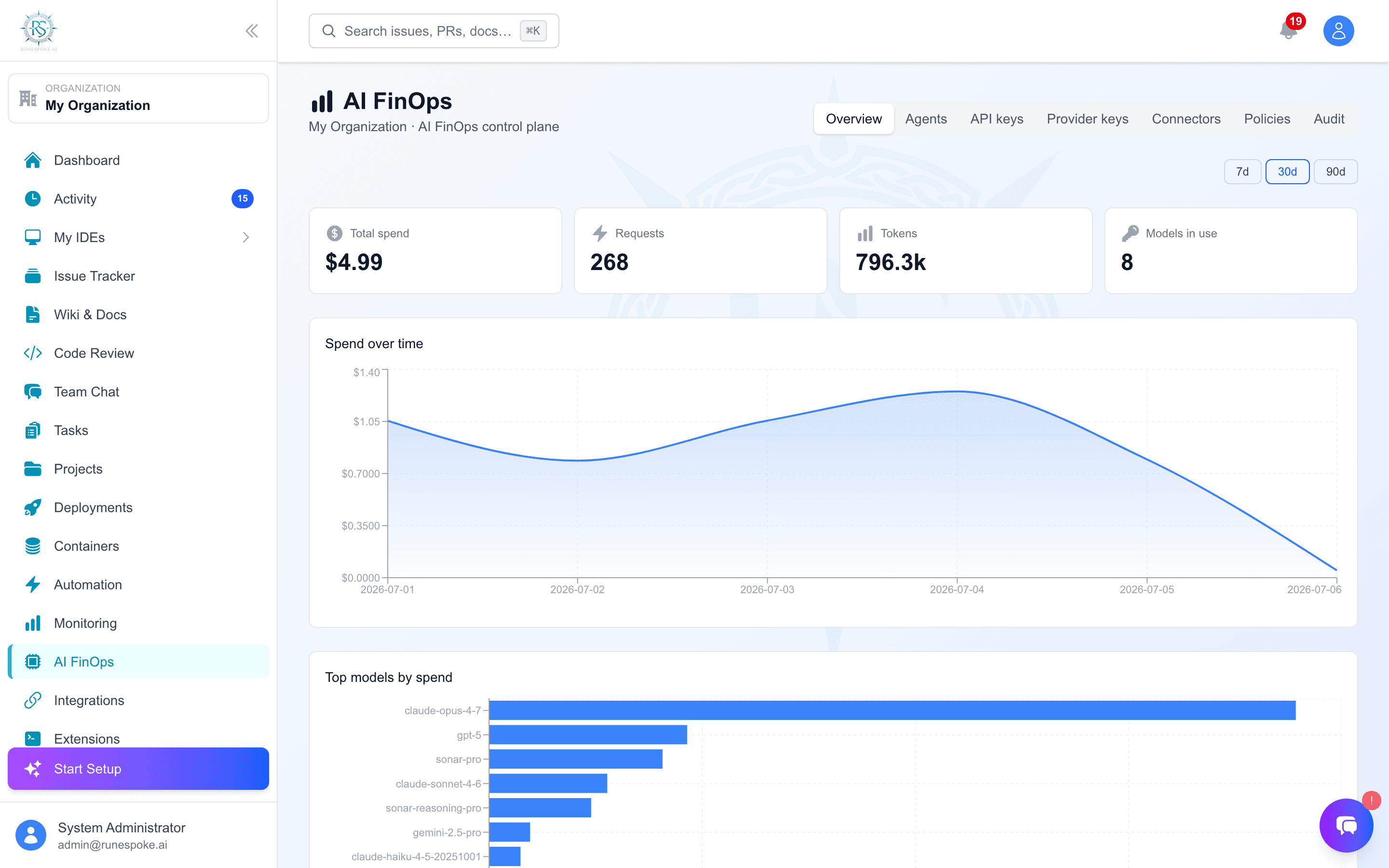
Enterprises now run on OpenAI + Anthropic + Google + Cursor + Copilot + Claude Code + in-house agents - and have zero unified operational visibility. AI Ops solves that. Connect in three ways depending on what fits your stack, and get unified spend, attribution, policy enforcement, and audit across every model your team touches.
Three ways to connect
SDK telemetry
@runespoke/observe wraps your OpenAI / Anthropic client. You keep your provider keys; we get tokens, latency, attribution.
Best for: existing apps you don't want to re-route. Drop-in, no proxy hop.
Inline gateway
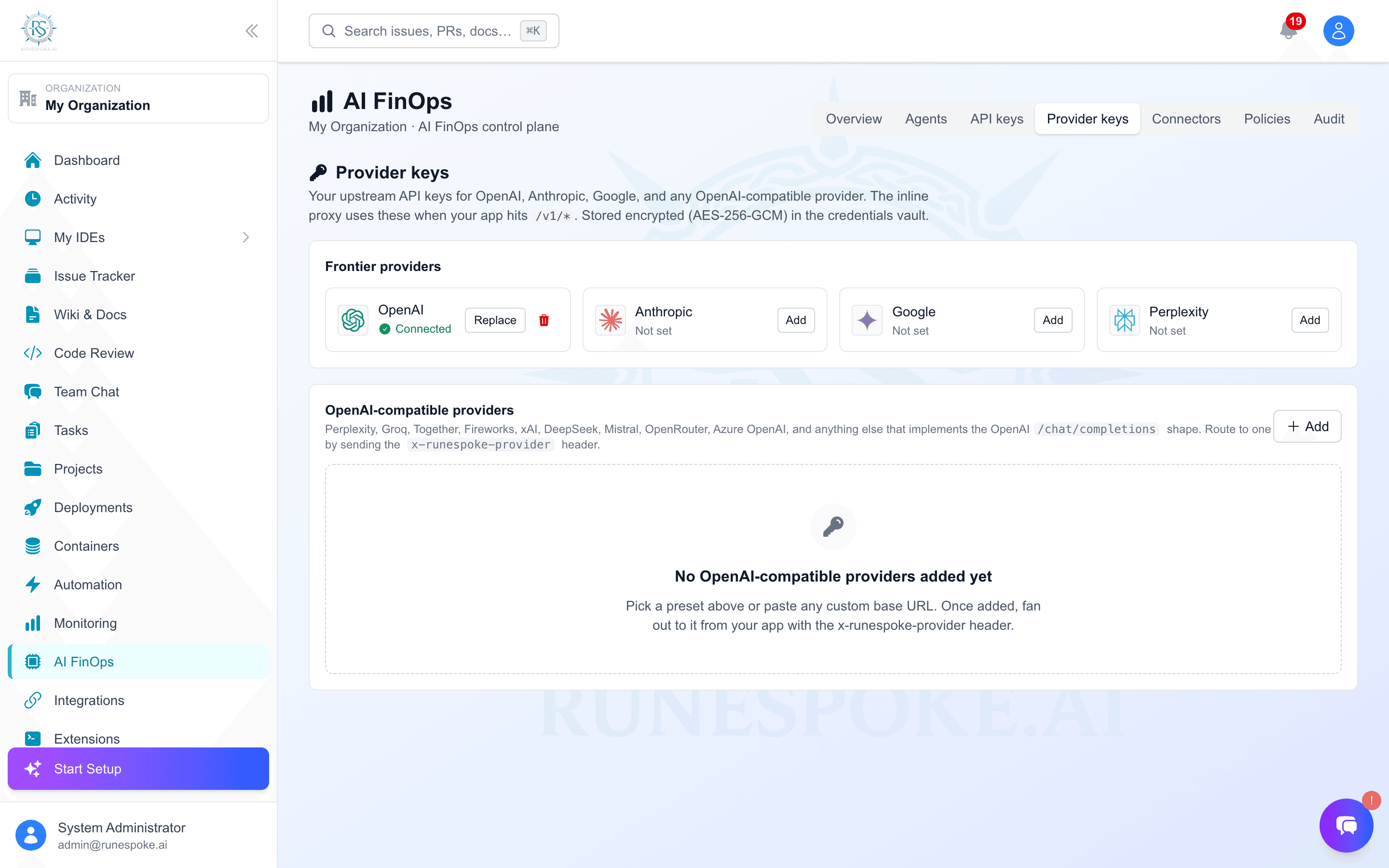
Point your apps at gateway.runespoke.ai/v1/... and we forward to your chosen provider with policy enforcement, budget caps, and PII flagging.
Best for: real-time governance - block requests over budget, enforce model allowlists, redact PII.
Billing-API connector
Hand us a read-only org admin key (OpenAI / Anthropic) or cloud billing creds (AWS Cost Explorer, Azure Cost Management, or GCP BigQuery billing export); we pull 30 days of usage and keep it fresh nightly. Zero code changes on your side. The cloud connectors bring infrastructure spend in next to your AI spend.
Best for: see what you couldn't see - within 60 seconds of clicking Connect.
What you get
Unified spend dashboard
See cost across OpenAI, Anthropic, Google Gemini, and 8+ OpenAI-compatible providers (Perplexity, Groq, Together, Fireworks, xAI, DeepSeek, Mistral, OpenRouter, Azure OpenAI) in one chart.
Team / project / user attribution
Drill from $40k/month down to the marketing team's RAG pipeline's evening cron run. Headers + per-key scopes make it deterministic, not a SQL guessing game.
Policy engine
Per-key monthly budgets that actually block at the gateway. Model allowlists. PII flag-or-redact. Routing rules. All JSON, all version-controlled.
Audit-grade event log
Every gateway hit is one row in a monthly-partitioned events table. Prompts hashed, optional preview, optional S3 storage URL. Reproduce a compliance investigation in minutes.
Citations from Perplexity Sonar
Sonar responses come back with the source URLs the model grounded in - surfaced inline in the assistant reply so users see the receipts, not just the answer.
Get started
- Join the beta - beta testers get full access free, including the Enterprise tier.
- Once you're in the hub, open the AI Ops tab in the sidebar.
- Pick an integration path (SDK / gateway / billing-API). The dashboard walks you through whichever you choose.
- Within 60 seconds of completing the chosen connector you'll have real spend data in the dashboard.