
Documentation
Everything you need to know about RuneSpoke Hub
Team Chat
Real-time team messaging built into the Hub - channels, threads, reactions, and direct messages. The conversation lives next to your issues, PRs, wiki, and deploys, so you don't bounce out to a separate app.
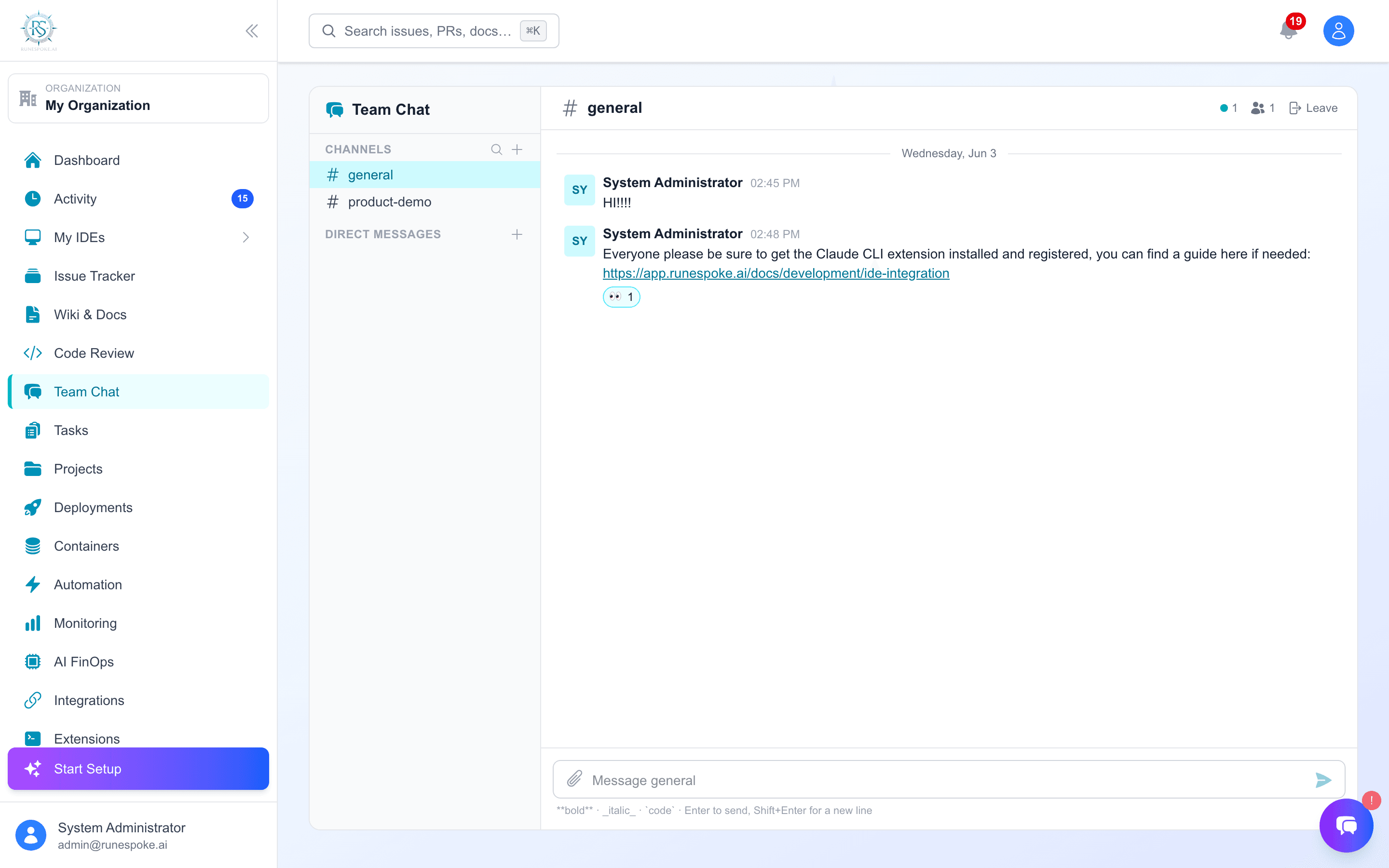
TL;DR - Open Team Chat, pick or create a #channel, and start talking. Reply in threads, react with emoji, and DM anyone in your org.
Why it's part of the suite
RuneSpoke already replaces Linear/Jira (Issues), Notion/Confluence (Wiki), and GitHub/GitLab review (Code Review). Team Chat is the Slack piece - one place for the whole workflow instead of five tabs.
What you can do
Channels
Public channels for the team, or private invite-only ones for sensitive work.
Threads
Reply under a message to keep side-conversations tidy - opens in a side panel.
Reactions
React with emoji; counts roll up under each message.
Direct messages
1:1 DMs with anyone in your organization.
How it works
- Click + next to Channels to create one (drop a topic so people know what it's for). You auto-join a channel the first time you post.
- Mark a channel private to make it invite-only; DMs are always private to the two of you.
- Messages update near-real-time (the view refreshes automatically). Press Enter to send, Shift+Enter for a newline.