Documentation
Everything you need to know about RuneSpoke Hub
Cloud Agents
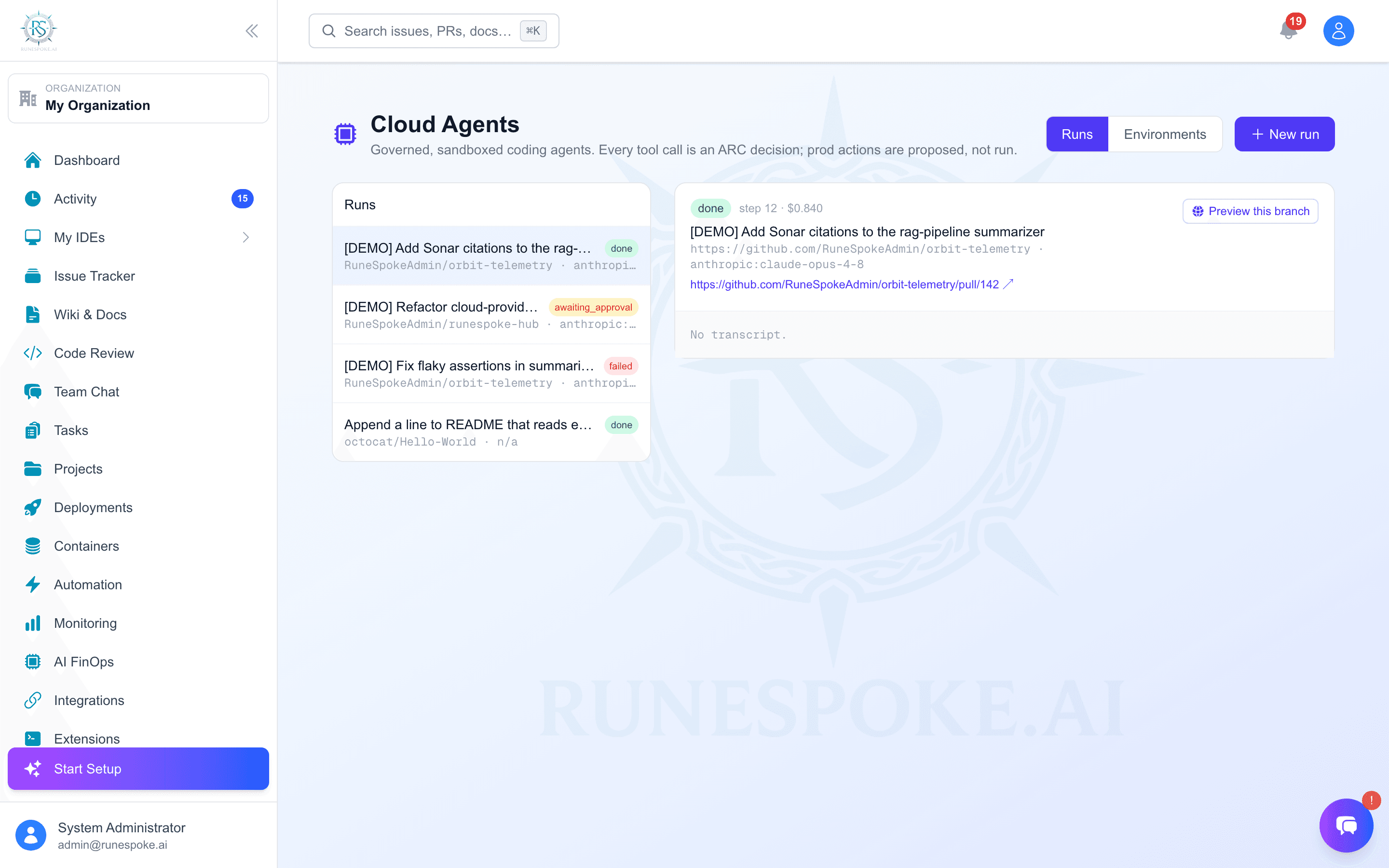
Hand an AI agent a task and a repo, and it works on its own in an isolated sandbox - reading, editing, running tests, and opening a pull request. Every action it takes is governed by the same Agent Access (ARC) policy you author, on the model you choose, and a risky action like a production deploy is proposed for a human, never run on its own.
Why it's different from other coding agents
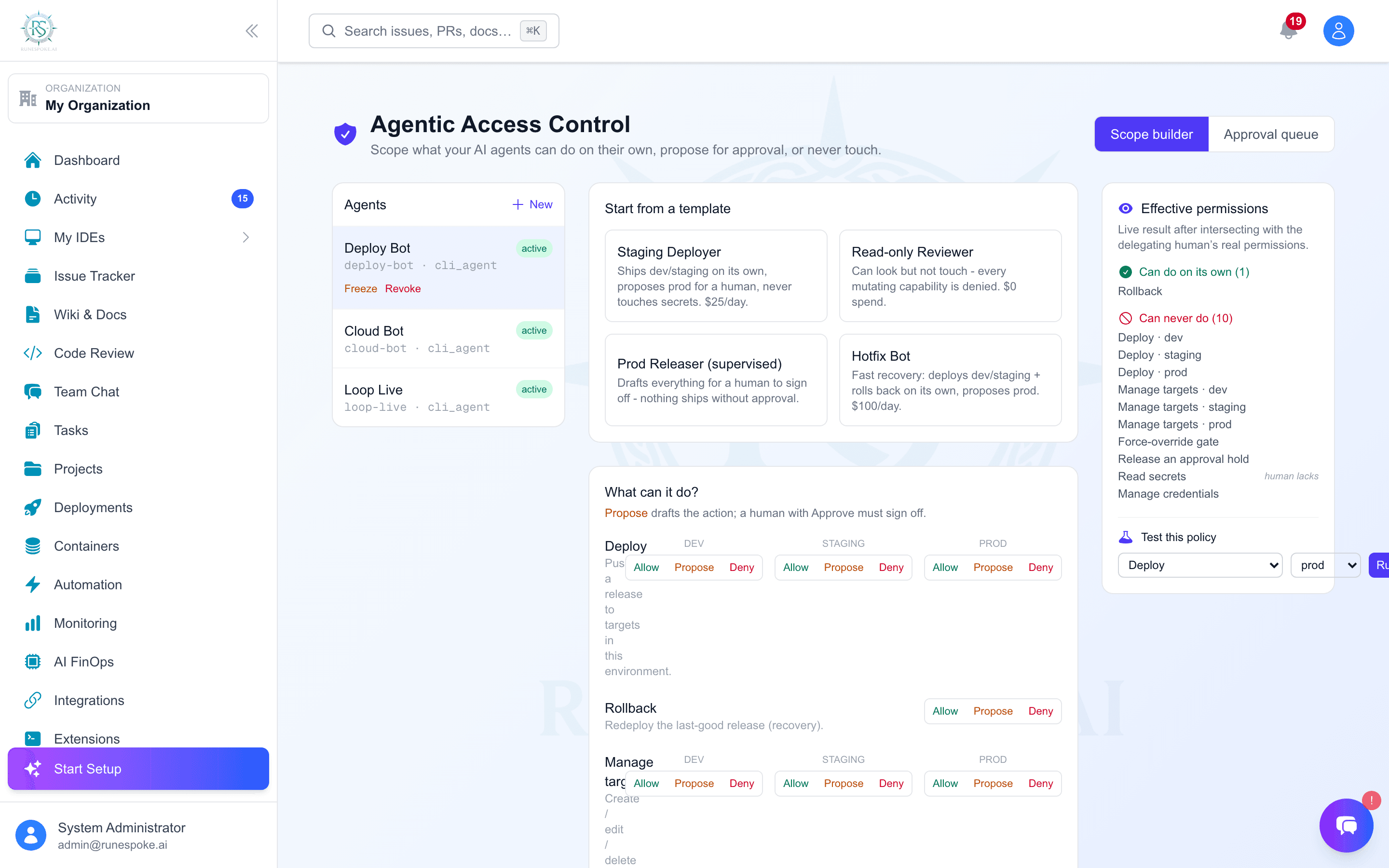
- Governed from the first tool call. The agent runs as an ARC principal - every file write, shell command, PR, or deploy passes your policy, intersected with what the delegating human can do. There is no ungoverned action.
- Your model. BYOAI - the run uses your own provider key (Claude, GPT, Gemini, …) from the vault.
- Non-blocking human gates. A prod deploy or secret read is staged for approval and the agent keeps working - it never sits idle waiting, and a human commits the risky step async.
- Contained. A disposable sandbox with no credentials, dropped Linux capabilities, and no network during the autonomous loop - a prompt-injected agent can't exfiltrate or reach anything it wasn't given.
What a run does
- Spins up an isolated sandbox and clones the repo.
- Runs your environment recipe's setup (install deps, toolchains).
- The agent reads, edits, and runs commands to do the task - each tool call checked against the ARC policy.
- It verifies its work (your build/test command) before opening a PR - a failing check blocks the PR.
- It pushes a branch and opens a real pull request, then finishes. A prod deploy, if attempted, is proposed for approval instead.
The three outcomes for every action
Done autonomously - e.g. edit a file, run tests.
Staged for a human to sign off - e.g. a prod deploy.
The agent can never do it - surfaced so it adapts.
Run on your API key - or the subscriptions you already pay for
Pick a runtime per run:
Runs on your own provider API key (any of the 15). Every tool call is an ARC decision - the tightest governance. Pick the provider and a model (or Auto); the model list is pulled live from the provider so it's never out of date.
Run Claude Code (Claude Max), Codex (ChatGPT), or Gemini CLI (Google login) in the sandbox - no API key, nothing extra to pay. The CLI's tools are governed by the sandbox; ARC still gates the run and the risky platform actions.
This matters because consumer subscriptions (ChatGPT Plus, Claude Pro/Max, Gemini Advanced) don’t include API access - the CLI runtimes let you put the plans you already pay for to work, instead of buying API credit.
How the subscription runtimes authenticate
When you pick a CLI runtime, RuneSpoke runs that tool - Claude Code, Codex, or Gemini CLI - headless inside the isolated sandbox, signed in with the subscription that's logged in on the machine running your agent runner. The runner borrows that tool's login for the run, injects it into the sandbox just-in-time, and it's discarded with the sandbox when the run ends. The tool talks to the provider on your plan - no API key.
The same applies to all three: log in once on the runner host (claude login /codex login / sign in to gemini), and runs use that plan. A couple of things to know: whichever machine runs the runner is the one that needs to be logged in; and a run uses your one subscription session, so it draws on that plan's normal limits (great for real work, not a fleet of dozens at once).
Environment recipes - where quality comes from
An agent is only as good as the environment it works in. A recipe sets the base image, the setup commands run after clone, and the verify command that gates the PR. Author them in the Environments tab; pick one per run.
Availability
Cloud Agents is an admin capability and builds on Agent Access (ARC) - register and scope an agent there first, then start a run here. Runs execute in an isolated container managed by the platform.